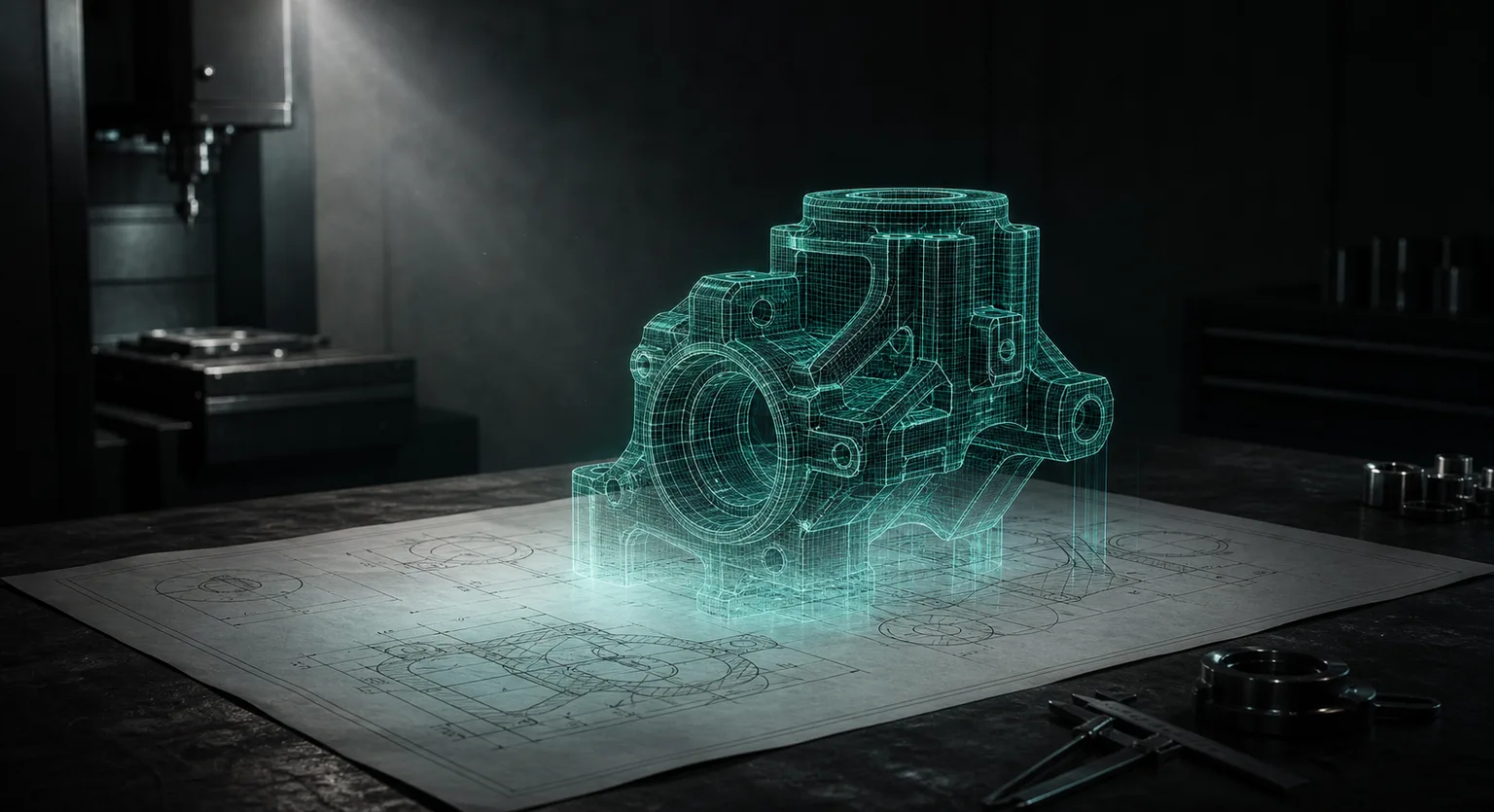
One 2D drawing,
every step up to the CNC machine.
BestAI CAM starts from a single drawing: 3D modeling, then CNC G-code generated against your in-house tool library and machine limits, followed by 3D cutting simulation and verification. Every step connects and stays traceable — whether to run it is still your call.
A CONTROLLED PATH TO PRODUCTION
Not replacing the machinist —
turning experience into
a repeatable process.
AI handles drawing recognition, modeling, code generation, and cross-checking; floor experts own tolerances, datums, special processes, and the final pre-machining confirmation. Each does what it does best.
shop machining knowledge
anomalies early
traceable data package
FOUR PRESSURES ON EVERY SHOP
Four shared challenges
on the shop floor.
Labor, talent, quoting speed, security — each has a concrete answer, not a slogan.
01 · LABOR
Masters retiring, no one to replace them
Programming and drawing-reading depend on veterans; training a newcomer takes years.
- AI takes over drawing, modeling, and code preparation, while the master’s parameters and tool-selection logic are preserved as a shop knowledge base.
02 · TALENT
Never enough programmers
Orders grow, but CAM engineers get harder to find.
- AI drafts 80% of the preparation; engineers shift from step-by-step operation to review and correction — one person covers more machines.
03 · QUOTING
A day slower to quote, an order lost
Every new drawing needs reading and estimating first; rush jobs squeeze deadlines harder.
- Drawing-to-model automation cuts quote assessment from days to hours; shorter preparation loosens delivery schedules.
04 · SECURITY
NDA drawings can’t go into random AI
Customer drawings are the most sensitive asset; dropping them into public AI services is a leak risk.
- Clear protection boundaries: drawings stay in the environment you designate; AI interpretation runs under commercial terms with no retention, no training use. Fully offline on-premise is on the roadmap.
FROM DRAWING TO VERIFIED OUTPUT · DEMO ACCOUNT
One 2D drawing,
all the way to a part.
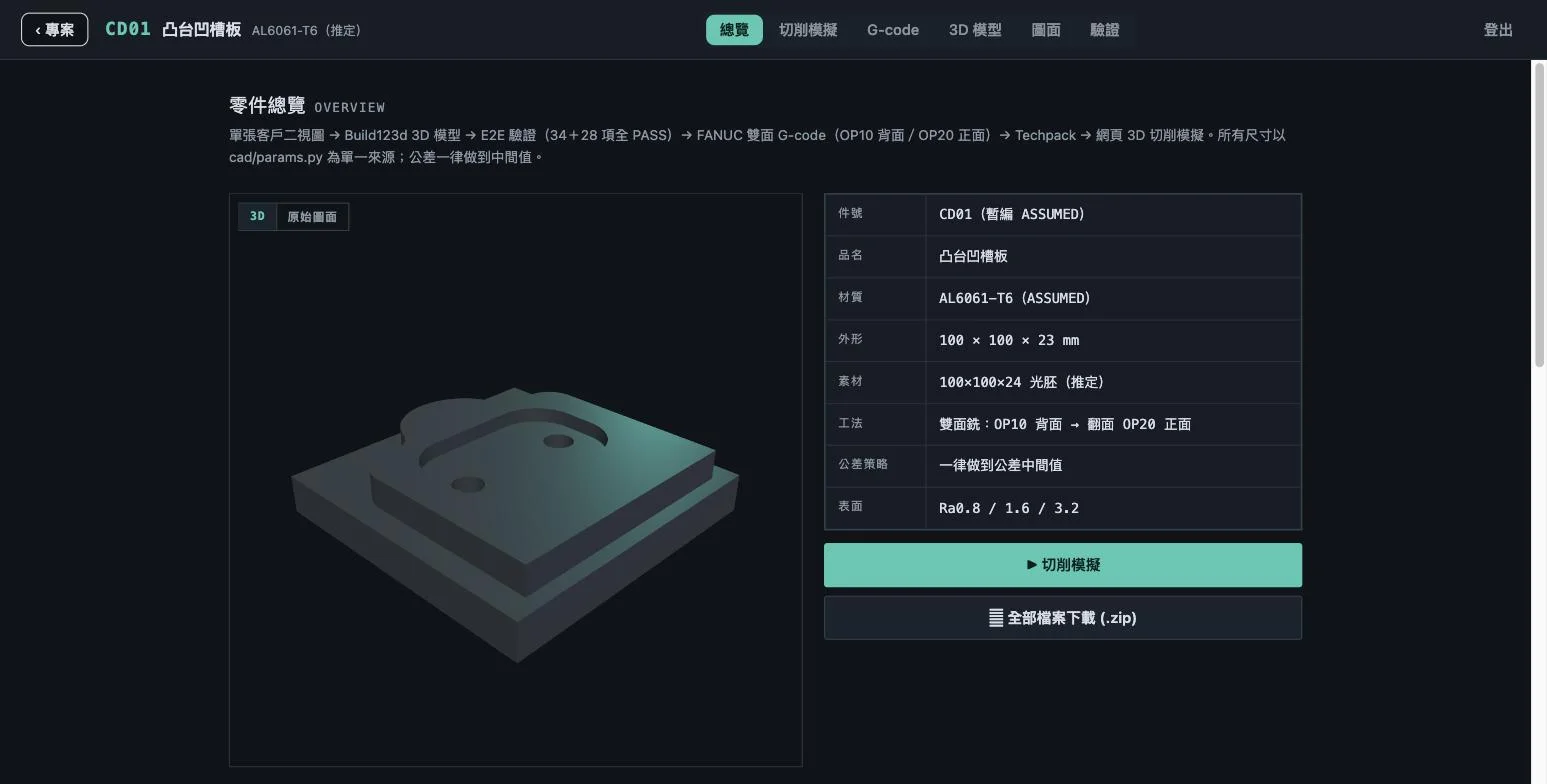
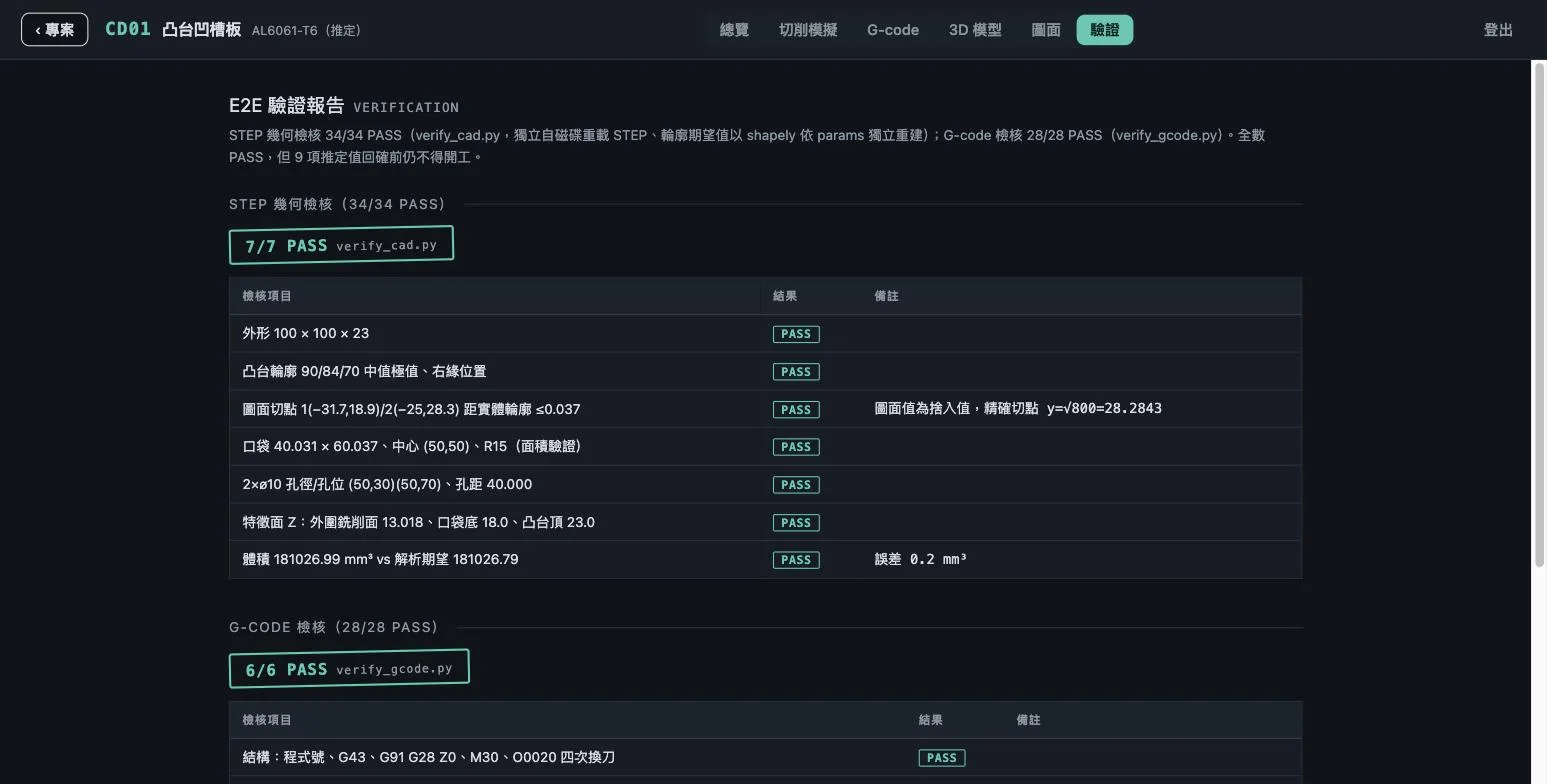
Every stage has explicit inputs, outputs, and checkpoints — no black box. Steps 1–4 are actual demo-account screenshots, not concept art; to try it yourself, contact a consultant for a guided tour.
-
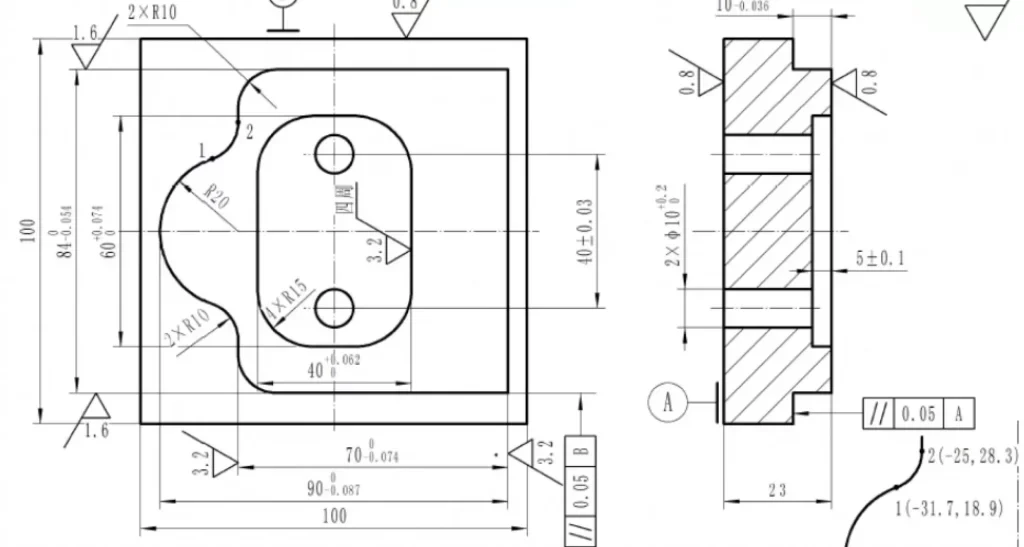 01 · DRAWINGOne 2D drawingThe two-view engineering drawing your customer sends — DWG and native CAD files read first, no conversion, no redrawing. This is the whole starting point.
-
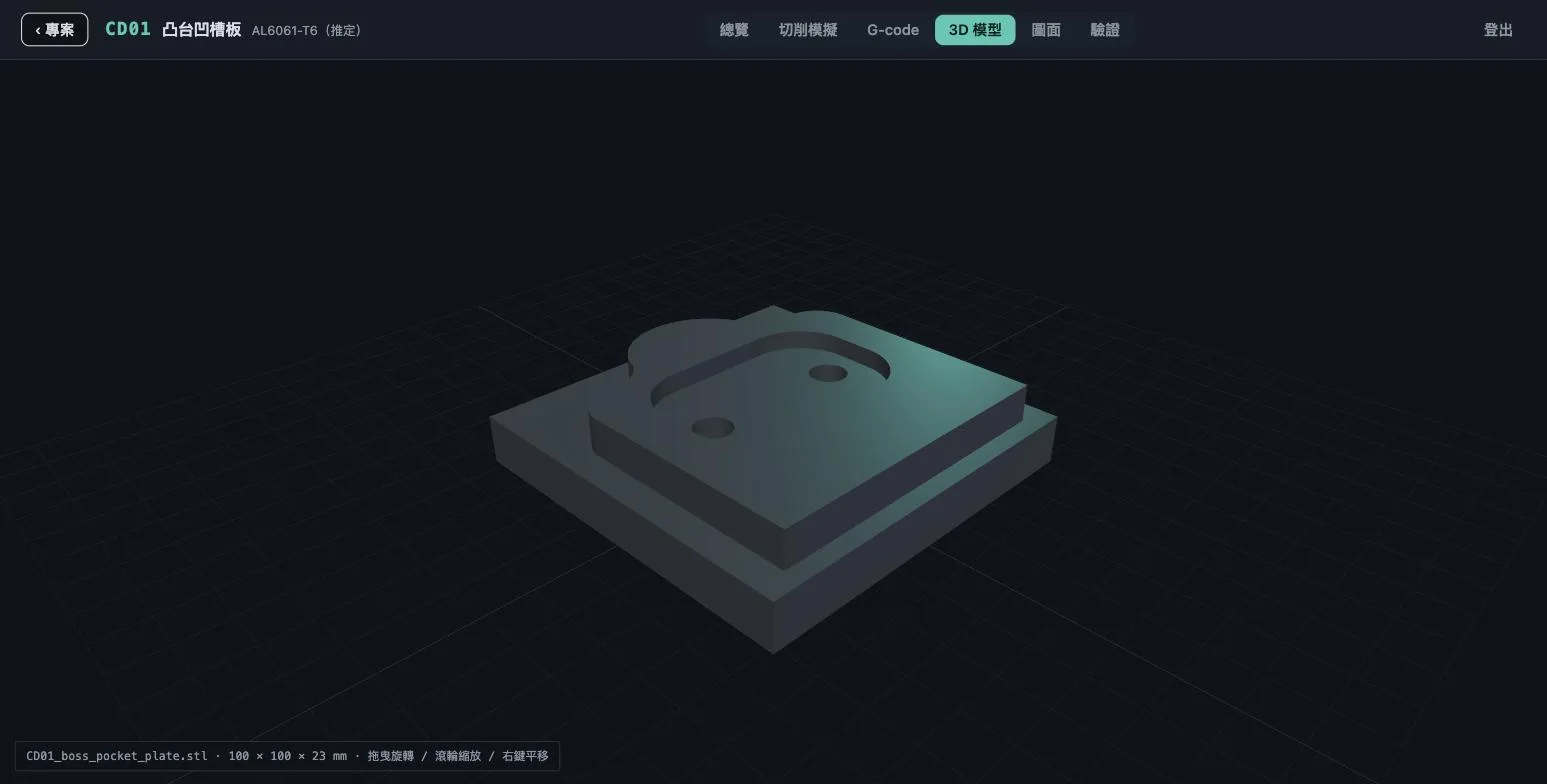 02 · MODELAI builds the 3D modelDimensions, hole positions, threads, and standard features recognized automatically into an inspectable 3D model — rotate it in the browser, with human correction points preserved.
-
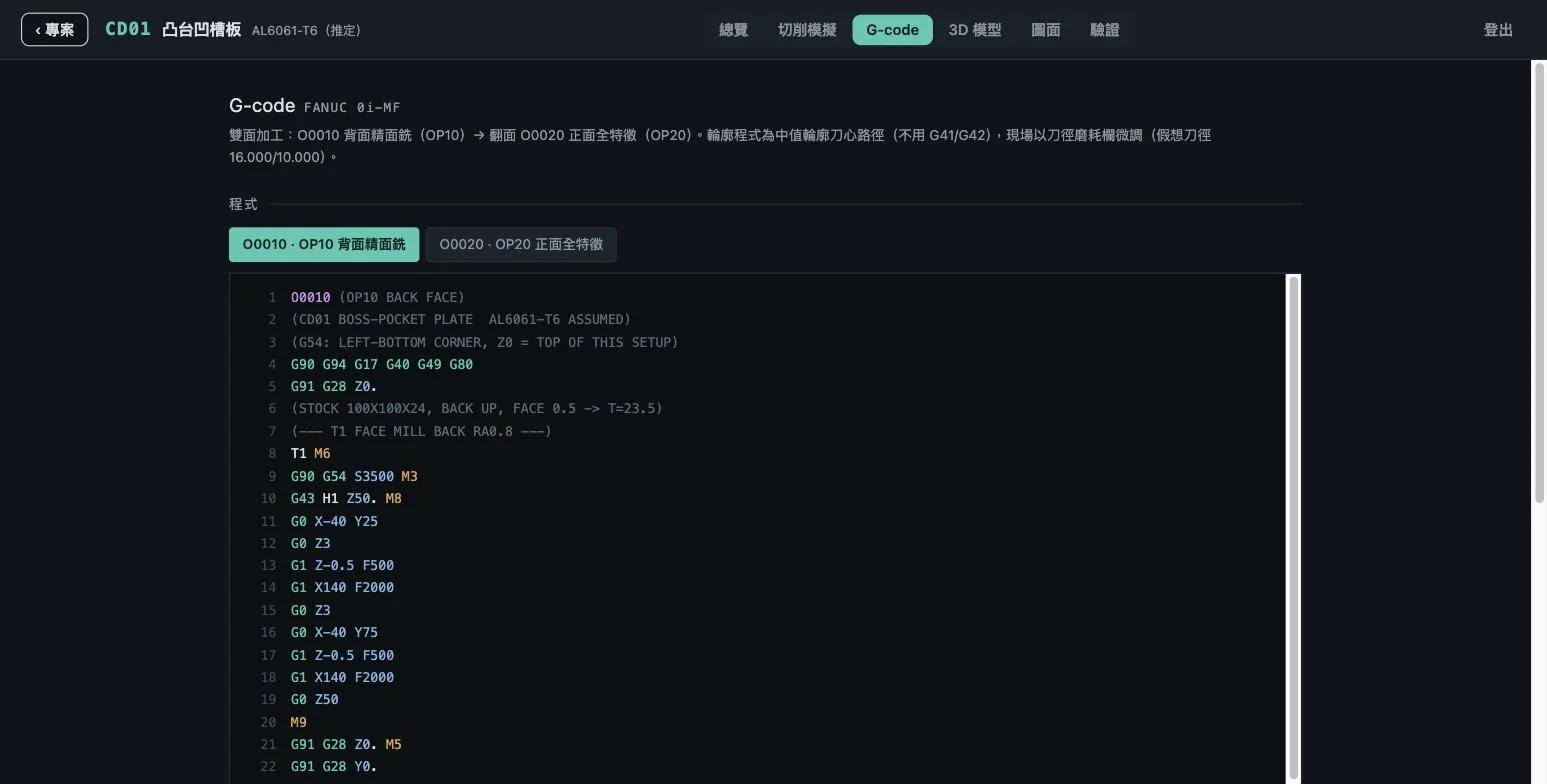 03 · CAMG-code generatedCombined with your shop tool library, standard parameters, and machine controller (FANUC), a two-sided machining program is produced — reviewable line by line.
-
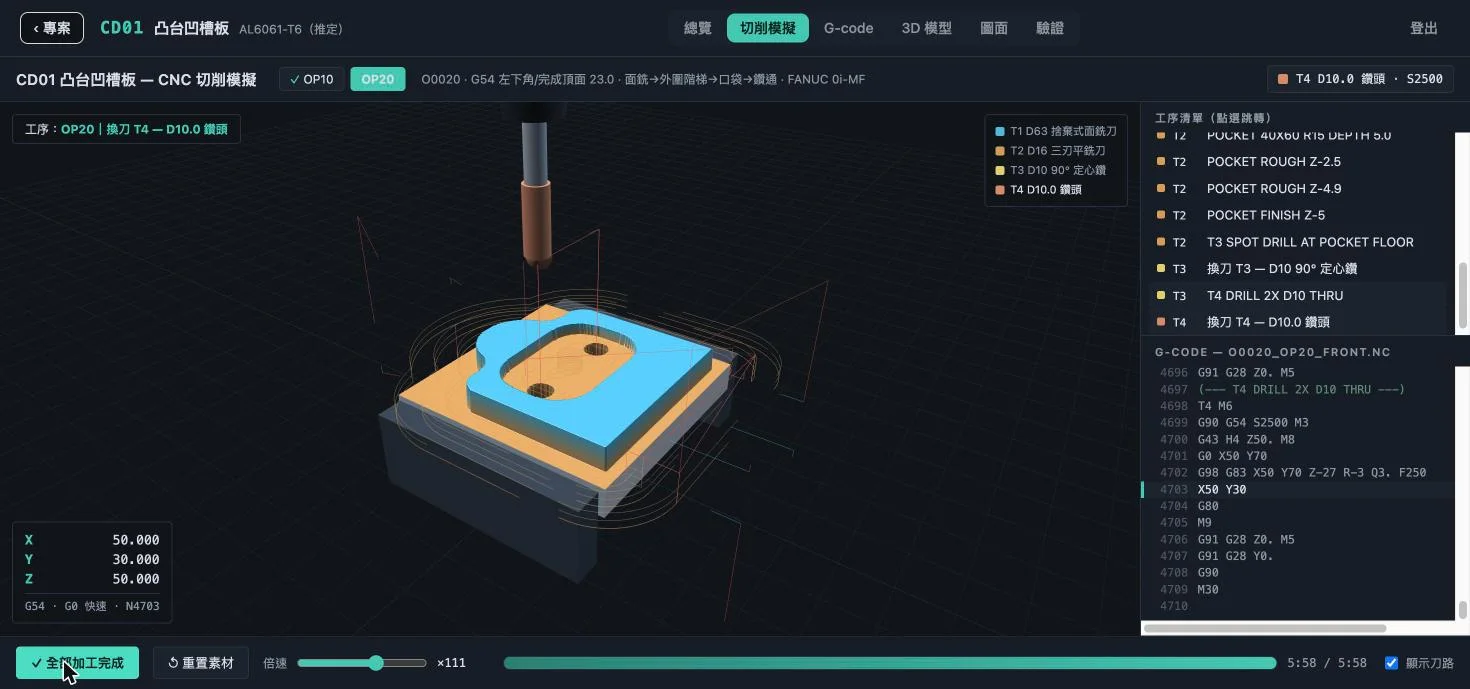 04 · VERIFYSimulate, compare, confirmA full cutting simulation runs before the machine, and a second AI compares dimensions back against the original drawing — overcuts, interference, and collisions happen on screen first, and get stopped there.
-
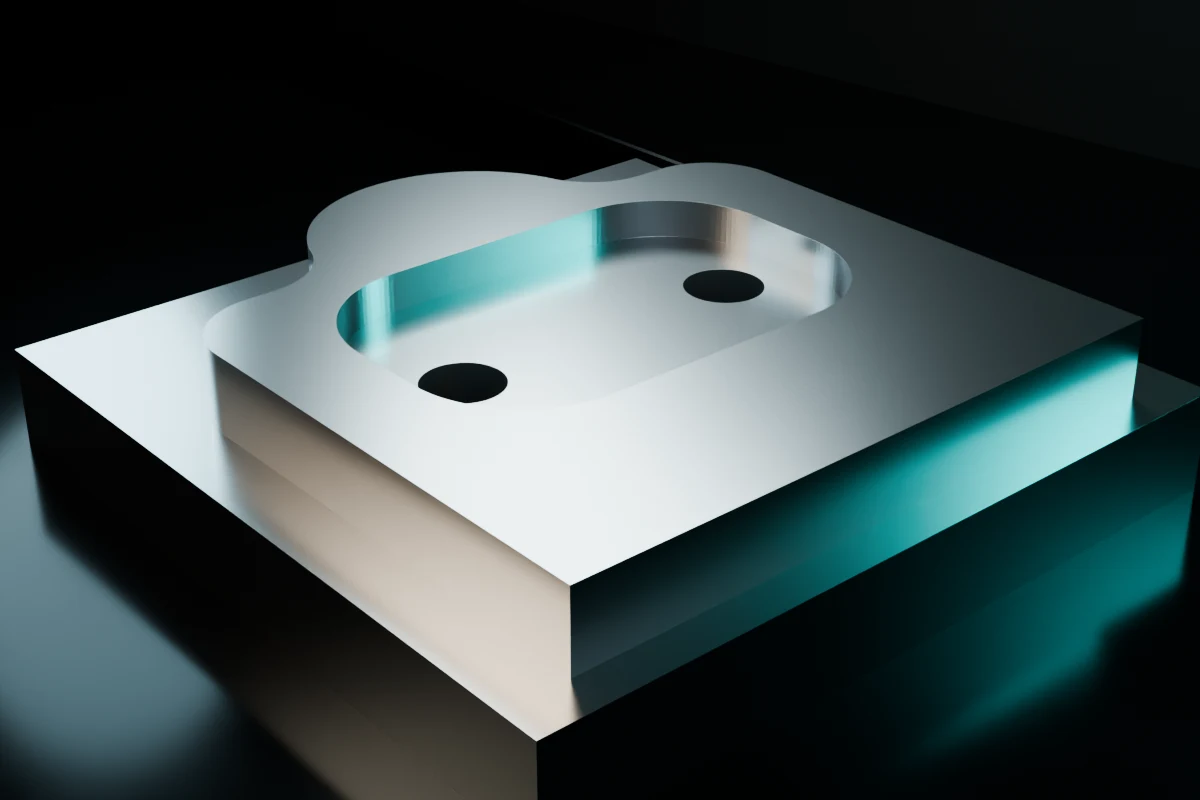 05 · OUTPUTMachine the partOnly after every simulation passes does machining begin — from one drawing to a metal part. (CD01 post-verification model render)
HUMAN-IN-THE-LOOPAI-generated G-code must receive a final check from professionals who know the machines, controllers, and machining conditions on your floor.
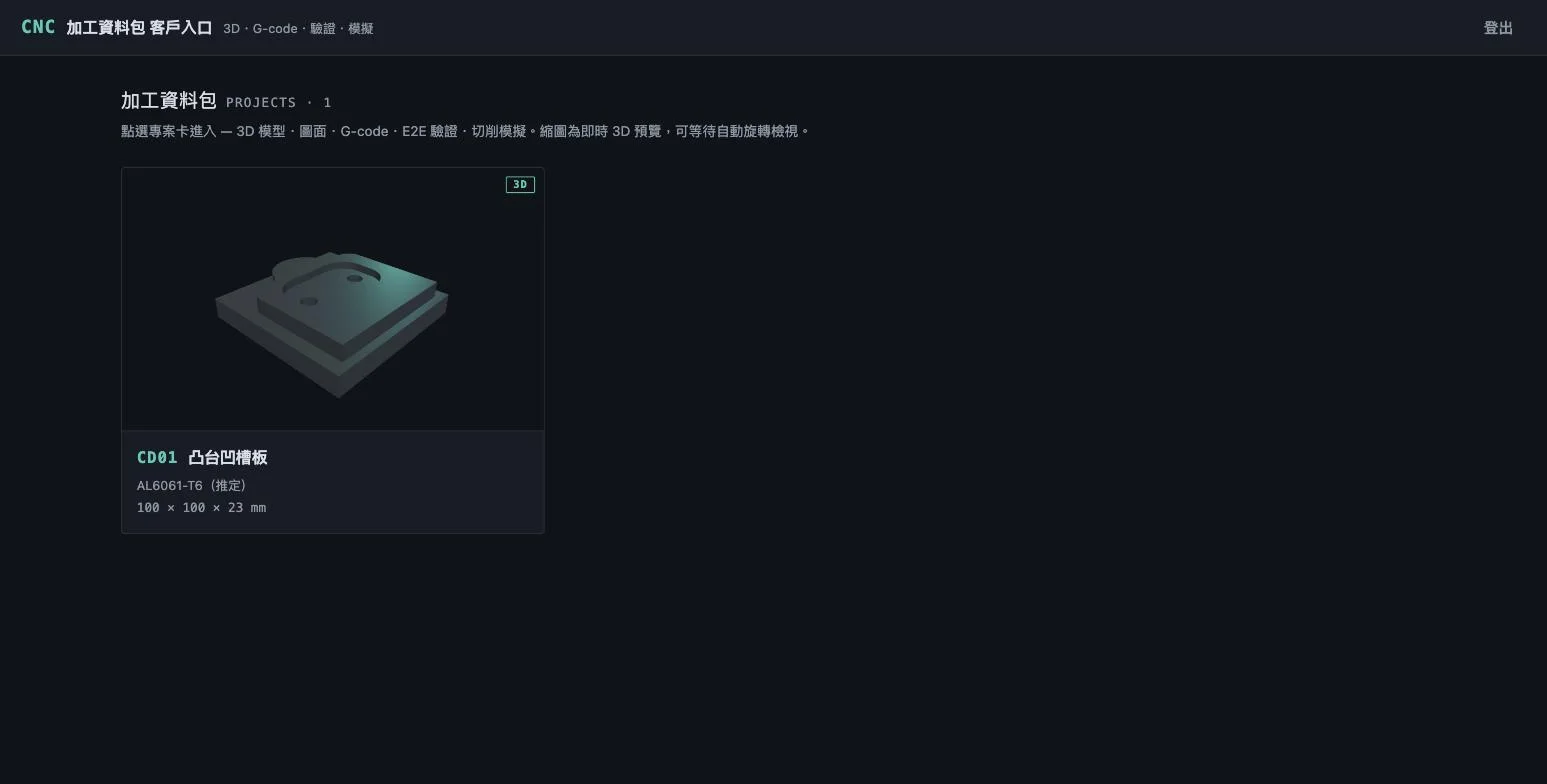
Deliverables also include —
BUILT FOR THE SHOP FLOOR
It knows models — and
your machines and tools.
The platform imports your dedicated tool library, standard parameters, and past successful jobs, converging on how your shop actually machines.
- 01Dedicated tool libraryTool IDs, lengths, and cutting parameters flow straight into generation and simulation.
- 02Existing CAM experienceIntegration testing with existing workflows such as Mastercam and Lifecad.
- 03Double AI verificationAfter generation, output is compared against the original drawing annotations, surfacing dimension anomalies proactively.
CONFIDENTIALITY BY DESIGN
Confidential drawings,
with explicit protection boundaries.
Drawings stay in the environment you designate; AI interpretation calls enterprise-grade model services over encrypted channels, under commercial terms with no retention and no training use. Fully offline on-premise deployment is on the roadmap, assessed per site.
TECHNICAL SPECIFICATIONS
Specifications,
laid out plainly.
What it can do, how far it is verified, and what is assessed per site — professionalism is a table you can check line by line. Full version: specifications page.
Specs list only substantiated capabilities: "verified" means proven on production machines at real sites; "assessed per site" means confirmed against your machines and drawings before deployment.
ENGAGEMENT PLANS
Three ways to adopt,
starting from one drawing.
No need to do everything at once. Prove the benefit with a controlled pilot first, then decide a daily plan; confidential work has explicit data-protection boundaries.
PILOT
Controlled pilot
Shops that want proof before spending
- Run one of your real drawings through the full workflow
- Drawing → 3D → G-code → simulation → machinist review
- Measure the preparation hours actually saved
- Adoption assessment report and recommendations
Starts with a free assessment
Ask about this plan →STANDARD
Standard
Daily order flow, building the shop knowledge base
- Cloud platform with dedicated client portal
- Tool library and machine conditions filed
- AI drawing-to-model · code generation · simulation · double verification
- E2E verification report and machining data package
- Adoption consultant support
Priced by shop conditions and drawing volume
Ask about this plan →CONFIDENTIAL
Confidential-hardened
Shops taking NDA / high-confidentiality work
- Drawings stored in the environment you designate
- AI interpretation: no retention, no training use, per commercial terms
- Title blocks can be de-identified first
- Everything in the Standard plan
- Fully offline on-premise: roadmap, assessed per site
Security requirements discussed up front
Ask about this plan →FREQUENTLY ASKED QUESTIONS
What you’ll want to ask before adopting
Accuracy, machine safety, existing software, and confidential data — boundaries made clear. The fuller 20+ questions: FAQ page.
Core technology & features
What can the AI system do today?+
It converts input 2D drawings into 3D models automatically and generates machine-ready G-code, with visual simulation so operators preview toolpaths and cutting before machining.
Any input format limits? Are phone photos OK?+
Import DWG or native CAD files for the highest accuracy. Photographed drawings are supported, but shadows, perspective, and overlapping lines can make AI misread through vs. blind holes — human review is recommended for photos.
Can AI-generated code go straight to the machine?+
A professional final check is still required. Controllers and program headers differ between shops, and roughing vs. finishing calls for on-site judgment; AI G-code goes to the machine only after machinist review and fine-tuning.
Accuracy & machining practice
How is 3D-to-drawing dimensional consistency ensured?+
Through "AI verifying AI" double checks: after the 3D file is generated, a second AI cross-compares the model against the 2D drawing dimensions and flags anomalies proactively, cutting review time and error rates.
Are tolerances, special callouts, and zero points read correctly?+
AI recognizes standard features and standard threaded/round holes; special tolerances and datum choices still need human support. High-precision holes can be color-marked on the drawing to boost recognition.
Can it use our shop’s dedicated tool library?+
Yes. Import tool IDs, standard lengths, and cutting parameters during onboarding, and AI selects the right tools in generation and simulation — reducing tool-length errors and crash risk.
Special methods like 5-axis work on a 3-axis machine — can AI handle those?+
Pin-correction and manual flip-and-measure are advanced floor knowledge; AI does not yet have a master’s improvisation, and will prompt standard 5-axis face-change logic first. These methods still need on-site professionals.
Integration, learning & security
Can it integrate with Mastercam or Lifecad?+
Integration testing is available. AI can learn from past successful programs, machining patterns, and Lifecad operating logic, gradually reproducing your shop’s standard machining patterns.
Is there a leak risk in giving drawings to AI?+
Drawings are never dropped into public AI services. They stay in the environment you designate, and AI interpretation calls enterprise-grade model services over encrypted channels — no retention, no training use per commercial terms; project-level isolation, de-identification available. Fully offline on-premise is on the roadmap, assessed per site.
KEEP LEARNING · BLOG & TRAINING
Not just tools —
also methods.
110 technical articles citing authoritative textbooks and journals, plus workshops that exercise on your own shop drawings. Browse all articles.
 COMPLETE GUIDEHow AI turns a 2D drawing into verifiable G-codeFeature recognition, 3D modeling, automatic code generation, simulation, and AI cross-checking — the whole chain in one read.Read →
 PRIMERWhat is AI CNC? What it changes in machiningAI CNC in one sentence: how it differs from traditional CNC programming and how far it goes today.Read →
 FAQThe 20 questions owners and engineers ask mostCan G-code go straight to the machine, could drawings leak, will it replace the master — answered in one place.Read →
TRAINING · HANDS-ON WORKSHOPS
BestAI CAM Training — AI-assisted machining workshops Hands-on AI drawing-to-model · tool library & G-code verification · controlled pilots, ROI & security (taught in Chinese)READY FOR A CONTROLLED PILOT?
Start with one real drawing,
and see how far the workflow goes.
From drawing quality and controllers to tool libraries and security needs — let us define the adoption path that fits your shop. Book a call directly, or leave your details and a consultant contacts you.
OR LEAVE YOUR DETAILS