SOURCING & RFQ GUIDE
The CNC Sourcing Guide: How to Read a Quote, How to Send Files, How to Negotiate Lead Time
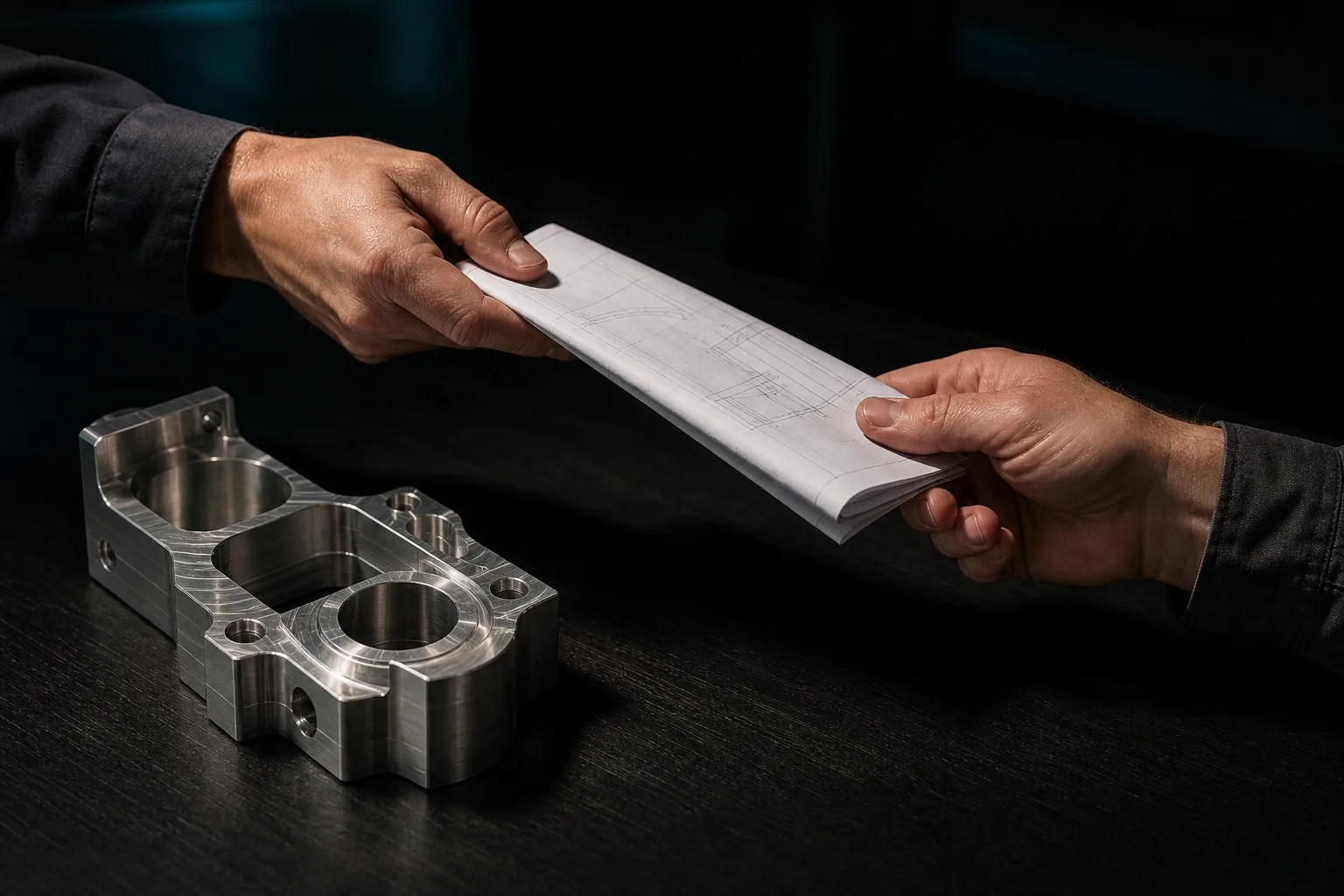
01What does CNC sourcing involve? The full RFQ process
CNC sourcing (an outsourced-machining request for quotation, commonly called an RFQ in the trade) means the whole process in which the buyer hands the designed part files and requirements to a machine shop, asks it to return unit price, lead time and terms, and then places an order accordingly. A complete sourcing round usually runs through six steps: organize requirements and files → send the RFQ to several shops → receive quotes → compare prices and clarify technical points → confirm prototype/production and lead time → place the order and agree on acceptance criteria.
How well the sourcing is done determines not only the price of this batch but also the downstream quality stability and communication cost. Research on manufacturing systems long ago noted that part cost and lead time are largely locked in during the design and process-planning stages, and the room to adjust once the part is on the machine is limited[1]. In other words, making the files and requirements clear at the moment of sourcing is more effective than beating the price down or chasing delivery afterward.
02How to read a quote: the five cost blocks
A machining quote that looks like nothing more than "unit price × quantity" is actually stacked from five blocks of cost. Understanding these five is what tells you whether the shop's number is reasonable and where the expense sits:
| Cost item | What it includes | What the buyer should watch |
|---|---|---|
| Material | Part number, size and cut-off loss of bar / plate / casting stock | Specify the material and part number to avoid substitution with a lower grade; stock loss can be a large share for big parts |
| Machining time | Number of setups, machine time per operation, programming time | Machining time is the main source of price gaps and is highly tied to process interpretation (see the next section) |
| Fixtures and tooling | Dedicated fixtures, special tools, one-off programming and first-article costs | Mostly one-off costs for the prototype; should amortize down in production |
| Surface treatment | Anodizing, black oxide, nickel plating, sandblasting, heat treatment and other outsourced steps | Usually further outsourced, adding to lead time; nail down the spec on the drawing |
| Inspection and management | First-article inspection, 100% / sampling inspection, reports (such as a CMM dimensional report) | Requiring inspection reports is reflected in the price but lowers the risk of a batch rejection |
The qualitative analysis of "manufacturing cost" in the manufacturing-systems literature breaks it down the same way: direct material, direct labor (machine time), tooling and fixtures, plus quality control and overhead together make up the landed cost of a part, and if any one block is underestimated the quote is distorted[1]. So when a quote gives you a single total but can't break out these five, it's worth asking the shop to add detail—not to beat the price down, but to confirm that both sides share the same understanding of "how this part is to be made." For a deeper look at how AI speeds up estimating and manufacturability interpretation, see "One day slower to quote, one fewer order won".
03Why does the same drawing get very different quotes?
Send the same file to three shops and the prices that come back can differ by more than double. This doesn't necessarily mean someone is quoting recklessly; it mostly comes from differing judgments on "how to machine this part." Process planning is the decision process of turning a drawing into a sequence of machining steps, machines, tools and parameters; research notes that this stage has long depended heavily on veterans' experience, and the same part planned by different people can yield very different operations and machining times[2]. Common sources of the gap include:
- Setup count: can it be done in one setup, or does it need two or three flips? Every extra setup adds a segment of machining time and a positioning risk.
- Process route: using a 3-axis machine in several operations, or a 5-axis machine forming it in one; how roughing and finishing are allocated.
- Tools and cutting conditions: a shop confident in higher cutting parameters has shorter machining time, but check whether it is sure of not breaking tools or crashing the machine.
- Yield buffer and familiarity: a shop that has made similar parts quotes accurately; a shop that isn't sure will hedge the uncertainty with a markup.
- Equipment and capacity: machine class and whether there's idle capacity right now both swing the numbers.
So when comparing, don't just rank by the total. Ask each shop to break out material, machining time, surface treatment and inspection, and you'll quickly see where the cheap one saves and where the expensive one is expensive because it's sure of itself. The truly dangerous kind is the quote that is "lowest total but can't explain how it'll be done."
04How best to send your files
Send files well and the quote is fast and accurate; send them fuzzily and the shop can only guess and mark up. An ideal sourcing package should include three things at once:
- 3D model (STEP or native file): prefer a neutral format like STEP (.stp), or the native DWG / SolidWorks file. With 3D geometry the shop doesn't have to infer the shape from 2D—one less rebuild, one less misunderstanding. For the differences among file formats, see "How to choose common CAD file formats for CNC".
- 2D drawing (fully dimensioned): 3D gives geometry, but the "requirements"—tolerances, datums, surface treatment, deburring—have to be spelled out on the 2D drawing. Only with dimensions, tolerances and datums fully marked will the quote not be vague—for how to mark them so you don't get overcharged, see "The drawing-annotation guide for designers".
- PDF reference version: attach a PDF as the human-readable version, so both sides can communicate over the same drawing.
Besides the drawings, don't forget to put the commercial information in the RFQ email: quantity (including prototype and each volume tier), required lead time, material and surface-treatment requirements, whether an inspection report is needed, and whether there's an NDA. Manufacturing engineering texts repeatedly stress that material choice, tolerances and surface requirements directly drive machining difficulty and cost[3]—miss any one of these and the shop has to come back and ask you, and the back-and-forth costs several days. Saying it all at once is the most time-saving approach.
05How to negotiate lead time: prototype, production and rush jobs
Lead time isn't just calling out a date; you have to understand what it's made of before you can move it.
Prototype vs production
The prototype unit price is high because one-off costs—programming, fixtures, first-article inspection—are all spread over just a few pieces. The practical move is to quote prototype and production together: ask the shop to quote the prototype price alongside tiered unit prices for, say, 50 / 200 / 500 pcs. You'll clearly see where the reasonable production unit price lands after the one-off costs amortize, and avoid misjudging production cost from the prototype price.
The real cost of a rush job
Rush jobs cost more not because the shop is gouging. To squeeze into an already-scheduled production sequence, it may have to push other orders back, arrange overtime, or even re-set the machine for a single part—all real, incurred costs. Rather than hammering the price down, ask clearly: if you're willing to give a few more days, how much cheaper can it be? Laying "how fast" and "how much you'll pay" out on the table usually finds a point comfortable for both sides.
Don't forget the stacking of outsourced steps
If the part needs anodizing, heat treatment or other surface treatment, these steps are usually further outsourced, and their lead time stacks on top. Count the round-trip time for surface treatment into the total lead time at sourcing, so you don't get stuck at the last gate.
06How to judge a supplier's digital capability
Beyond price comparison, what's more worth looking at is "how likely this shop is to make a mistake." A practical indicator is whether it verifies before the job runs. Suppliers with more mature digital capability usually share these traits:
- willing to use cutting simulation to preview the toolpath before running, checking for overcut, remaining stock and fixture interference, catching problems before the test cut;
- able to use software—or even an independent AI—to cross-check the 3D model dimensions against your 2D drawing callouts one by one, proactively flagging mismatches rather than discovering them only after the first article is measured;
- clear about its own machine controller, travel and speed limits, and tool library, with a basis behind its quote and lead time rather than a purely verbal estimate.
This kind of capability doesn't guarantee the cheapest price, but it is usually the least likely to spring surprises—the risk of first-article defects and missed deadlines is lower. Recent progress in AI drawing reading and modeling has made it feasible to "quickly turn a customer's 2D drawing into a verifiable 3D model and machining program," and lets a shop read your drawing faster and more accurately at the quoting stage; for the principles and boundaries, see the pillar article "How AI turns a 2D drawing into verifiable G-code". For the buyer, what matters is not which tool the shop uses but whether it has a discipline of "verify before running."
07Sourcing checklist
Before sending the RFQ, confirm each item against this table to greatly reduce back-and-forth and misunderstanding:
| Item | What to confirm | Ready? |
|---|---|---|
| 3D file | STEP (.stp) or native DWG / SolidWorks file | ☐ |
| 2D drawing | Dimensions, tolerances, datums, surface treatment and deburring all fully marked | ☐ |
| PDF reference | Human-readable version for communication | ☐ |
| Material and part number | Specify the material to avoid substitution with a lower grade | ☐ |
| Quantity | Prototype quantity + each volume tier (such as 50 / 200 / 500) | ☐ |
| Lead time | Required date, with the stacked time for surface treatment reserved | ☐ |
| Inspection requirement | Whether first-article / 100% inspection / CMM dimensional report is needed | ☐ |
| Security | Whether there's an NDA and whether the drawing may go to the cloud | ☐ |
| Itemized quote | Ask the shop to break out material / machining time / fixtures and tooling / surface treatment / inspection | ☐ |
Prepare this checklist in one go and the RFQ you send will look professional, and the quotes that come back will be faster and more accurate—because the shop no longer has to guess.
08FAQ
Why do quotes for the same drawing differ so much between shops?
Because a quote is not just material—it reflects each shop's judgment on "how to machine this part": the process route, setup count, tools and cutting conditions, and yield buffer all show up in machining time. Equipment class and familiarity matter too. When the gap is too large, ask each shop to break out how much is material, machining time and surface treatment, so you know where the difference lies.
Should I send DWG, STEP or PDF?
Best to send all three: STEP (or native DWG / SolidWorks file) provides the 3D geometry and skips a rebuild; the 2D drawing clearly states dimensions, tolerances, datums and surface treatment; the PDF is the human-readable reference. Sending only a photo or low-resolution PDF forces the shop to guess and mark up.
Can prototype and production quotes be negotiated together? Why are rush jobs so expensive?
Yes, and it's advisable to negotiate them together. A prototype carries one-off programming, fixture and first-article costs, which look expensive spread over a small quantity; asking the shop to quote each volume tier reveals the reasonable price after production amortization. Rush jobs cost more because they jump the queue, require overtime or reshuffle the schedule—these are real costs.
How do I tell whether a machine shop has digital capability?
Look at whether it verifies before the job runs. A shop willing to preview toolpaths with cutting simulation, cross-check the 3D model against your drawing dimensions with software or AI, and clearly explain its controller and tool-library conditions usually carries lower risk of first-article defects and missed deadlines. This capability doesn't guarantee the cheapest price, but it's the least likely to spring surprises.
Get notified when new articles and video briefs go live—no inbox spam, one-click unsubscribe. (newsletter in Chinese)
SMARTER SOURCING STARTS HERE
Before you source, let AI help you read the drawing and see the quote clearly
From organizing files to manufacturability interpretation to assessing a supplier's digital capability, we help you make the CNC sourcing process faster and more confident.
Contact an onboarding consultant Training courses📋 Free download: "CNC Outsourcing Checklist" (printable) (中文)
09References
- Chryssolouris, G. (2006). Manufacturing Systems: Theory and Practice (2nd ed.). Springer.
- Xu, X., Wang, L., & Newman, S. T. (2011). Computer-aided process planning — A critical review of recent developments and future trends. International Journal of Computer Integrated Manufacturing, 24(1), 1–31.
- Kalpakjian, S., & Schmid, S. R. (2020). Manufacturing Engineering and Technology (8th ed.). Pearson.